


Since we lost paper tax discs more than 10 years ago, it’s become harder to keep track of when your tax is due, or even just remember you’re supposed to tax your car at all!
Is My Car Taxed?
If you’re using a service like meet and greet parking at the airport, or a car park that needs you to leave your keys — it’s important that the chauffeur is driving a properly taxed and MOT’d car! There are loads of services that say they’ll help you sort your car tax, but the only way to officially check car tax is through the gov.uk website.
Any other websites that claim they can do it for you are just taking extra money off you for something you can do yourself!
How to Check Car Tax
We’ll take you through the whole DVLA tax check process to show you just how easy it is! This blog uses screenshots from GOV.UK under the Open Government Licence v3.0.
For more help with car admin, visit our guide to changing the address on your driving licence, or find out if it’s really illegal to drive with your interior light on.
1) Access the Government Road Tax Checker
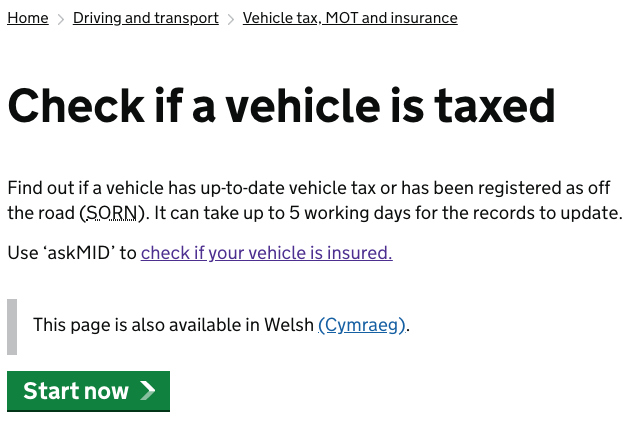
Head over to gov.uk/check-vehicle-tax and you’ll see something like the below:
2) Enter Your Registration Number
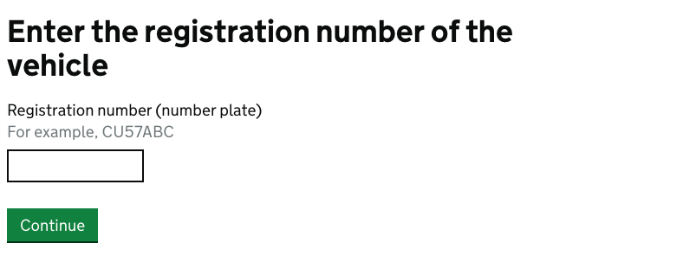
Input your car’s number plate into the box, and then click continue.
3) Check the Information They Have is Correct
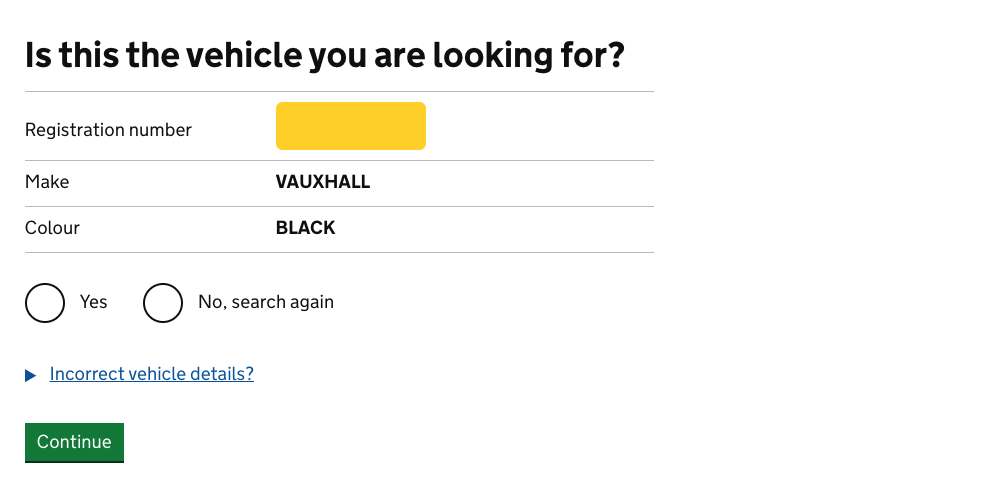
You should be able to see at a glance if the database lists the correct car for your number plate. If not, check you’ve put the right registration, and if the information is still incorrect, you should report the error along with your log book to:
CCG
DVLA
Swansea
SA99 1BA
However, if everything looks good, select Yes and Continue.
4) If You’re All Up-to-Date…
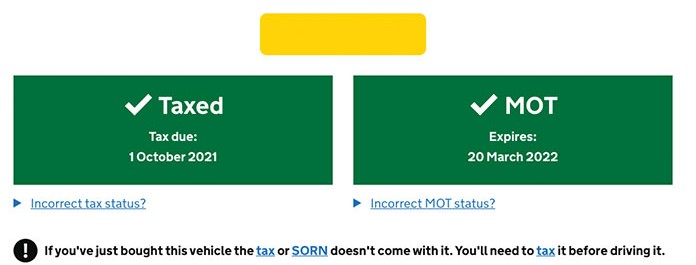
The next screen you’ll see will hopefully look similar to the above. The MOT box will typically tell you the date of expiry of your vehicle’s MOT, which is also an added bonus! This way you can plan accordingly and get it booked in.
Note: I have removed my vehicle registration just for privacy purposes, so this will normally appear in the yellow box.
5) If You’re Not Up-to-Date…
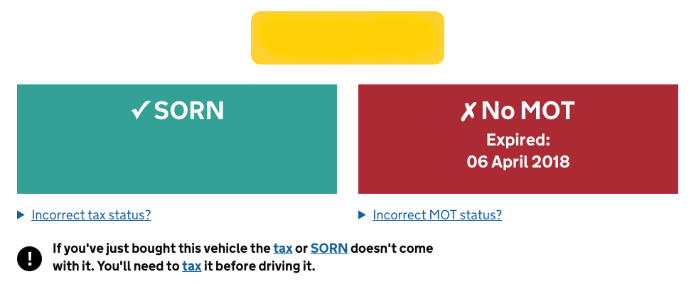
If everything isn’t up-to-date with your car, you could see a number of things on the next screen, depending on what you’re required to do next.
The screenshot above is from an old car that has been declared off-the-road. As you can see, its MOT has expired, which you would need to sort if you would like to start driving it again.
However, the green SORN box shows that it has been legally declared it off the road, and therefore it is exempt from tax.
If you’ve simply let your tax lapse, you’ll see a red box on the left with the date of expiry.
Although your car’s tax should be renewed before expiration, there’s no time like the present! You can pay for car tax in monthly, six-monthly or annual instalments, and making sure you’re taxed will help you avoid a nasty four-figure fine!
Curious about cars? Check out SkyParkSecure‘s list of car hacks, tips to stay cool while driving, and what your car says about you!
Car Tax FAQs
Yes. You can check a vehicle’s tax status for free. Just use the official DVLA service by entering the registration number.
You can. Vehicle tax status is publicly available through the DVLA vehicle enquiry service, so you can check whether another vehicle is taxed using its registration number.
No. In most cases, a vehicle has to be taxed before it’s driven or kept on a public road. Driving an untaxed vehicle could result in penalties.
You could receive a fine, and the vehicle may be clamped, impounded or seized if it’s kept or driven on a public road without valid vehicle tax.
Yes. The DVLA vehicle enquiry service shows both vehicle tax and MOT information.
Yes. If a car needs taxing and you have the necessary documents, you can usually complete the process online through the DVLA.
A Statutory Off Road Notification (SORN) tells the DVLA that a vehicle isn’t being used or kept on public roads. Vehicles registered as SORN don’t need to be taxed while they’re off-road.
Main image: Ben Griffiths – Unsplash